+1 Upgrade Per Kill Beginner's Guide
Last updated:
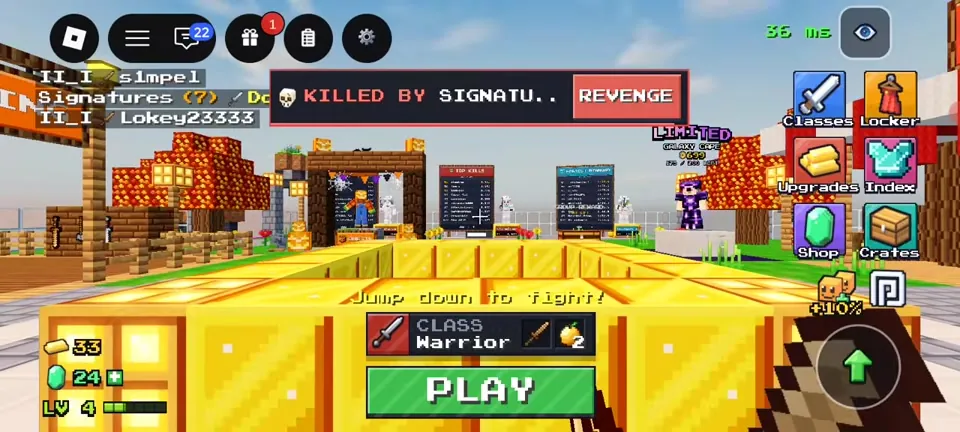
Here's everything a new player needs for a first session of +1 Upgrade Per Kill: the lobby, the arena, how upgrades work, and what to spend your first Gold on.
1. Claim the free stuff
Redeem WELCOME (see codes), join the Block PvP group for its gift, and open the Playtime menu to claim the 25 Gold you get immediately.
2. Learn the lobby
The right side of the lobby has Classes (pick your kit), Locker (capes and titles to be verified), Upgrades (Perks and Enchants), Index to be verified, Shop and Crates. Your class and the green PLAY button sit at the bottom. Warrior is free and selected by default.
3. Press PLAY and jump down
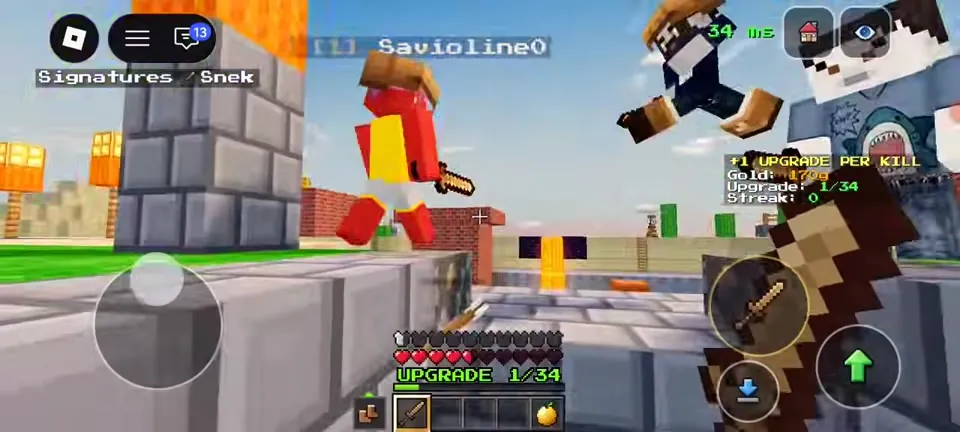
The hint says "Jump down to fight!" You land in the arena in starting gear. The HUD shows your hearts, UPGRADE x/34 and a Gold/Upgrade/Streak panel.
4. Get kills, climb the ladder
Each kill gives +1 Upgrade and some Gold, and assists give +2 Gold. Upgrades go Leather → Copper → Iron → Full Diamond → Ruby → Shadow → Prism → MAXED. See upgrades.
5. Don't die cheaply
Dying resets you to Upgrade 0. Eat Golden Apples between fights, stay away from edges (players regularly "fall into the void"), and leave fights you're losing. When your Upgrade is high, a Gear Saver keeps your armor.
6. Spend your first Gold
- Head Start I (150g): spawn with a Leather Helmet.
- Snack Pack I (200g): an extra Golden Apple each life.
- Save toward Perk Slots (1,000g) so you can equip two perks.
More options are on perks. Do your three daily quests for Emeralds, then pick a class that fits how you play.
Sources: prices, dates and stats come from the official Roblox game page and public Roblox APIs (checked October 24, 2026, ~11 PM PKT). Menu text comes from gameplay footage (Charmeleon, YouTube, Oct 23, 2026). Anything else is labelled to be verified.